
Autodesk branded merchandise helps build meaningful connections with our customers and our communities. Every branded item we produce should be aligned with our values and how we want to show up in the world.
These guidelines will help you source merchandise that is memorable for the right reasons. Our preferred vendor, BDA, is well-versed in Autodesk brand guidelines. Resources below will help employees navigate the ordering process for custom branded merchandise. If you’re looking for ready-made merchandise, you can find it on our public online store.
Design review Copy link to clipboard
If you are working with BDA, no approval by Autodesk is required unless you want to:
- Use any graphics or text not listed in the “Decoration elements” section below
- Use the symbol or the thread on an item without also including the Autodesk logo
- Use the thread in any other way beyond what is specified below
- Use a font other than Artifakt
- Have supporting text on swag, including URLs, hashtags, slogans, or taglines other than “Make Anything”
- Produce merchandise containing the Autodesk logo and a third-party logo, such as for a co-sponsored event
All merchandise produced by a vendor other than BDA must be approved by Brand. Send design mockups to brand@autodesk.com.
Design considerations Copy link to clipboard
Decoration elements
Branded merchandise can be decorated with the following brand elements, most of which can be found on the DAM (access required). Guidelines on how each element can be used on branded merchandise are provided below.
Logos and brand elements
Autodesk standard logo. Available on the DAM (access required).
Autodesk stacked logo. Available on the DAM (access required).
Autodesk symbol. Contact Brand for access.
Autodesk thread. Contact Brand for access.
Autodesk Make Anything tagline lockup. Available on the DAM (access required).
Make Anything standalone logotype. Available on the DAM (access required).
One ORBIT
One ORBIT logo. Available on the DAM (access required).
One ORBIT icon. Available on the DAM (access required).
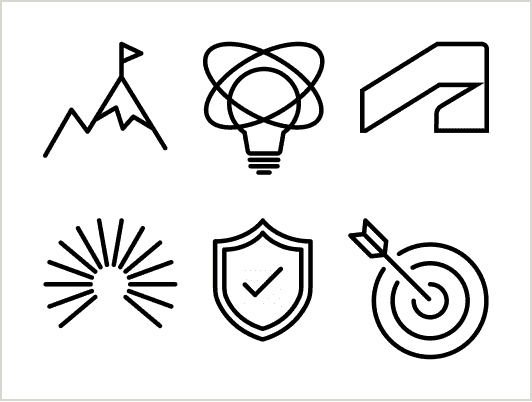
One ORBIT values icons. Available on the DAM (access required).
Using a team or organization theme
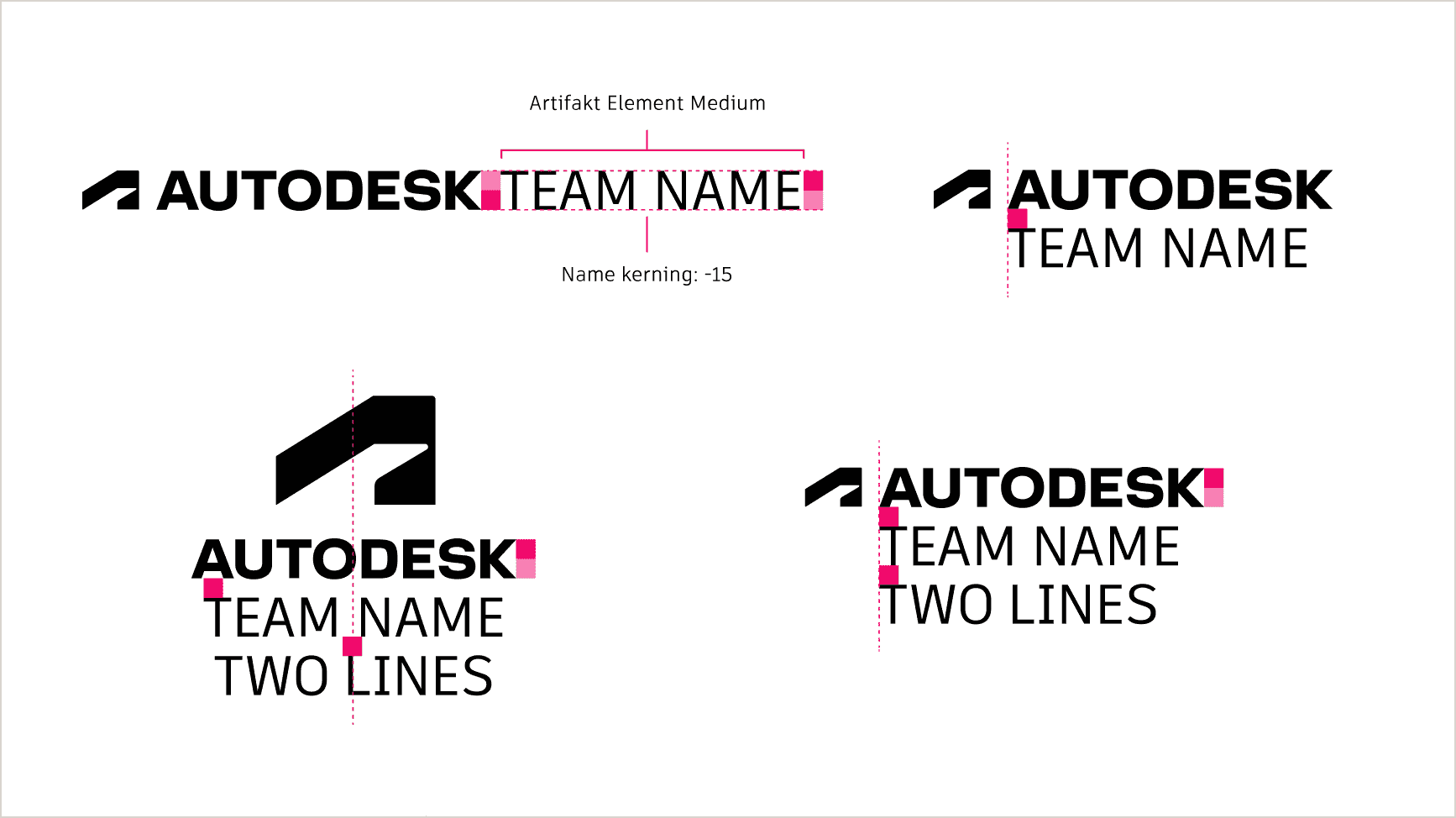
When making merch for a specific team or organization, the name of the team or org may be locked up with the Autodesk logo in these four ways. Only official team and org names spelled out in full (no acronyms) may be used. Project code names, beta product names, and pilot names should never be put on merchandise.
Color
Choose base items that are black, white, gray, or neutral in color to reflect our color guidelines. Do not use Hello Yellow as a base color.
Do not select or decorate items in our tertiary colors, Dawn, Dusk, Twilight, or Morning.
All Autodesk brand elements can only appear in black and white, except the following:
- The Autodesk thread, our Make Anything standalone logotype, the One ORBIT logo and icon, and the One ORBIT value icons may also appear in Hello Yellow.
- Product lockups must appear in full color.
- ERG logos may only appear in full color (as they were designed).
- All brand elements, except product logos, product icons, and the Make Anything standalone logotype may be matched as a shade or tone to the color of the branded merchandise item to create a tone-on-tone effect.
Merchandise that will be given to youth and students may incorporate the Tinkercad color palette. Our exclusive merchandise vendor BDA is equipped to produce merch in this color palette.
Our philosophy Copy link to clipboard
When selecting items and deciding how to decorate them, do your best to create merchandise that will be long-lasting, kind to the planet and the people who make it, and aligned with Autodesk values.
How to choose things that last:
- Select the highest-quality materials and construction available within your budget.
- Choose more durable decoration methods—embroidery lasts longer than screen printing, engraving is more durable than pad printing, etc.
How to choose things that are kind:
- Opt for sustainable and/or recycled materials.
- For apparel and accessories: organic cotton, hemp, bamboo, linen, recycled polyester
- For drinkware: stainless steel, ceramic, BPA-free plastic
- For office and accessories: recycled paper and cardboard, innovative materials like wheat straw or mycelium
- Note that sustainable material best practices and options continue to evolve as new innovations emerge. BDA can provide recommendations on available options and emerging technologies to ensure our material choices remain responsible and future-focused.
- Also consider options from diverse suppliers and ask BDA to help you source items from vendors that are certified for good business and/or sustainability practices, like Certified B Corporations (also called B Corps).
How to choose things that align with our values:
- Seek items that stand out for their ingenuity.
- Stay ahead of the curve, choosing unexpectedly delightful items, rather than following trends-which may shorten how long they remain desirable.
- Do not select items related to alcohol, tobacco, gambling, or any other activities that do not align with Autodesk’s image.